Private-App

Private App








Leveraging the Google Drive API, this dynamic web application revolutionizes photo and video management through chronological date-based notes.
Live Demo 👇:
private-app.prathmeshsoni.works
Table Of Contents :
About The Project
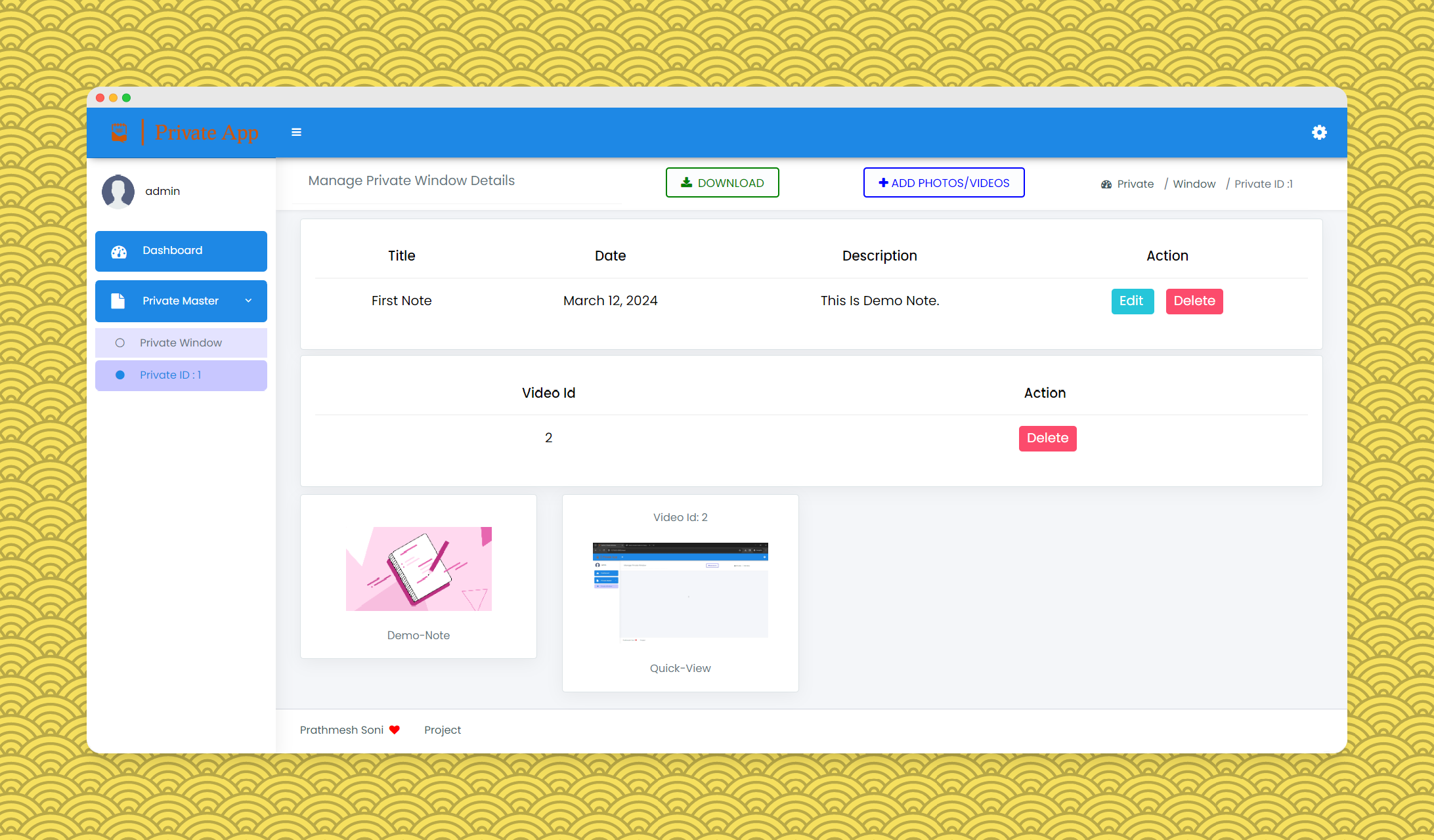
Welcome to the Private App repository! This dynamic web application revolutionizes photo and video management through chronological date-based notes. Crafted with precision using Django, it offers a seamless and delightful user experience.
Technologies Used
- Backend: Powered by Python and Django for robust functionality.
- Media Management: Leveraging Google’s API (Google-API-Python-Client & Google-Cloud) for seamless media handling.
- Frontend: HTML, CSS, and Bootstrap create an intuitive and visually appealing user interface.
- Interactivity: JavaScript, jQuery, and AJAX add interactivity for an enhanced user experience.
- Database: MySQL ensures reliability and scalability.
Features
- User Authentication: Secure login and registration for a personalized shopping experience.
- Chronological Brilliance: Efficiently manage photos and videos, neatly organized by date and time.
- Google Drive Integration: Seamlessly upload and download media using Google Drive API for enhanced accessibility.
Getting Started
This is an example of how you may give instructions on setting up your project locally. To get a local copy up and running follow these simple example steps.
Prerequisites
Install Python 3.7 or above
Installation
👉 Step 1 - Download the code from the GH repository (using
GIT):git clone https://github.com/prathmeshsoni/Private-App.git && cd Private-App
👉 Step 2 - Create virtual environment:
python -m venv .venv
👉 Step 3 - Activating the environment:
on Windows:
.venv\Scripts\activate.bat
on Mac OS / Linux:
source .venv\Scripts\activate
👉 Step 4 - Installing dependencies:
pip install -r requirements.txt
👉 Step 5 - You can now run the development server:
python manage.py runserver
Visit http://127.0.0.1:8000 in your browser. The app should be up & running.
👉 Step 6 - Go
config.pyNot Necessary:
Go to the config.py file on the Private-App folder (/private_info/config.py) setting all requirements after “=”.
# For sending email to users during registration or password recovery
email = ""
password = ""

# Set the Google Drive folder ID where uploaded photos will be stored
google_drive_folder_id = ""
👉 Step 7 - Configure Google Drive API credentials.
Create a new project on Google Cloud Console and enable Google Drive API. Create a new OAuth 2.0 client ID and download the credentials file. Rename the file to client_secret.json and place it in the
/Private/token_file folder.
Documentation: Google Drive API
now you can run the Google.py file to get the token file.
cd Private && python Google.py
now rerun the server and you are good to go.
cd .. && python manage.py runserver
Default Credentials
- User Credentials:
- Username: admin
- Password: admin@123
Screenshots
Visit our Screenshots Page for a visual walkthrough of the Private App Website.
Demo Video 👇:
https://github.com/prathmeshsoni/Private-App/assets/78293392/a83fbc8c-8183-46d2-b969-e734797d34ad
The repository is a starting point for most of my professional projects; for this, I’m using it as a part of my portfolio, feel free to use it wherever you want. I’ll be happy if you provide any feedback code improvements or suggestions.
Connect with me at

📫 How to reach me: connect.prathmeshsoni@gmail.com
All Set :)
Private App - Provided by Prathmesh Soni