Ecommerce

Music Club eCommerce









This Django-built Music Instruments E-commerce system facilitates product addition and integrates Razorpay for seamless payments.
Live Demo 👇:
Table Of Contents :
- About the Project
- Technologies Used
- Features
- Getting Started
- Credentials
- Screenshots, Demo Video
- Connect Me
About The Project
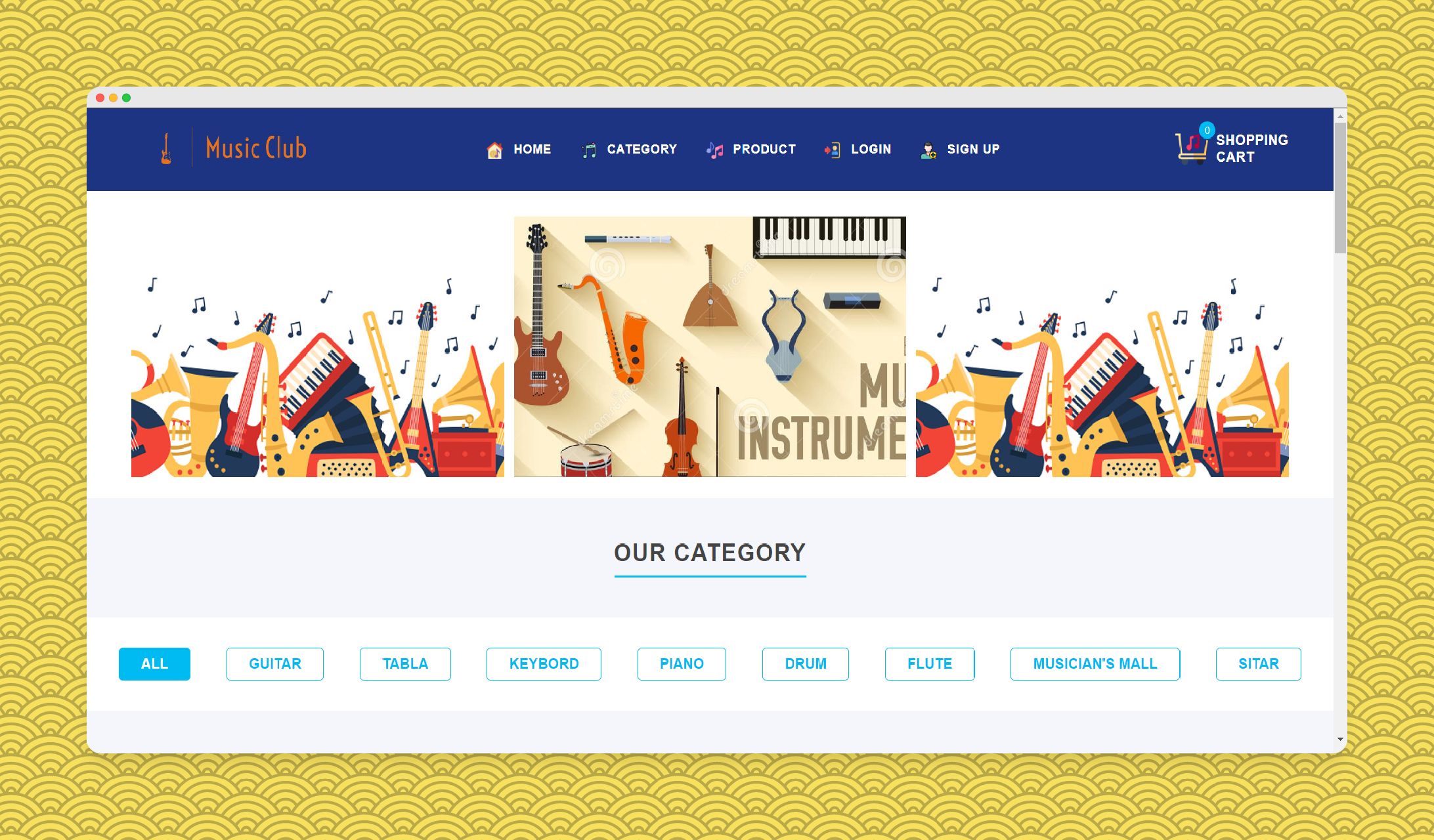
This project is a full-stack Music Instruments E-commerce website developed using Python and the Django framework. It incorporates essential features for an online store, including user authentication, a shopping cart, and integration with the Razorpay payment gateway.
Technologies Used
- Full Stack: Python, Django, HTML, CSS, Bootstrap
- Database: MySQL
- Payment Gateway: Razorpay
Features
- User Authentication: Secure login and registration for a personalized shopping experience.
- Shopping Cart: Efficient cart management for adding, updating, and removing products.
- Razorpay Integration: Seamless payment transactions through the Razorpay payment gateway.
- AI-Based Product Search (Image Upload):
- Users can upload an image of a musical instrument.
- AI analyzes the image and predicts the instrument category.
- Relevant products from the database are displayed automatically based on the predicted category.
AI-Based Product Search (Image Upload)
This feature enhances the shopping experience by allowing users to search for products using images instead of text.
How It Works
- The user uploads an image of a musical instrument (e.g., guitar, piano, drum).
- The image is sent to the backend API.
- An AI/ML model processes the image and predicts the instrument category.
- The predicted category is matched against the product categories stored in the database.
- All related products are fetched and displayed to the user in real time.
Supported Instrument Categories
- Guitar
- Piano
- Keyboard
- Drum
- Tabla
- Flute
- Sitar
- Violin
Benefits
- Faster and smarter product discovery
- No need to know exact product names
- Ideal for beginners who recognize instruments visually
Preview At 👇:
music-club.mrsoni.in/user/classify-image/
Getting Started
This is an example of how you may give instructions on setting up your project locally. To get a local copy up and running follow these simple example steps.
Prerequisites
Install Python 3.7 or above
Installation
👉 Step 1 - Download the code from the GH repository (using
GIT):git clone https://github.com/prathmeshsoni/Ecommerce.git && cd Ecommerce
👉 Step 2 - Create virtual environment:
python -m venv .venv
👉 Step 3 - Activating the environment:
on Windows:
.venv\Scripts\activate.bat
on Mac OS / Linux:
source .venv\Scripts\activate
👉 Step 4 - Installing dependencies:
pip install -r requirements.txt
👉 Step 5 - You can now run the development server:
python manage.py runserver
Visit http://127.0.0.1:8000 in your browser. The app should be up & running.
👉 Step 6 - Go
config.pyNot Necessary:
Go to the config.py file on the Ecommerce folder (/music_club/config.py) setting all requirements after “=”.
# For sending email to users during registration or password recovery
email = ''
password = ''

# For integrating with the Razorpay payment gateway.
razorpay_key_id = ''
razorpay_key_secret = ''
👉 Step 7 - Integrate the Razorpay payment gateway for transactions.
Documentation: Razorpay Integration
IMPORTANT: Make sure your Razorpay account is running in TEST Mode and Use the Test token provided by Razorpay:
Default Credentials
- User Credentials:
- URL: http://127.0.0.1:8000/
- Username: user
- Password: user@123
- Admin Credentials:
- URLS:
- Admin Panel: http://127.0.0.1:8000/admin/
- Django Admin Panel: http://127.0.0.1:8000/admin_side/
- Username: admin
- Password: admin@123
- URLS:
Screenshots
Visit our Screenshots Page for a visual walkthrough of the Music Club E-Commerce Website.
Demo Video 👇:
https://github.com/prathmeshsoni/Ecommerce/assets/78293392/77c6be7a-d6a2-4e27-9c8e-e28327c99586
The repository is a starting point for most of my professional projects; for this, I’m using it as a part of my portfolio, feel free to use it wherever you want. I’ll be happy if you provide any feedback code improvements or suggestions.
Connect with me at

📫 How to reach me: connect.prathmeshsoni@gmail.com
All Set :)
Music Club eCommerce - Provided by Prathmesh Soni